
THE APP
Take the whole map into the field.
The website shows the map anywhere. The app is the one that keeps working when the signal does not: download a country's layers, search a radius around any point, and produce a desk-study PDF on the spot. iPhone, iPad, Mac and Apple Watch from one purchase.
Finland web maps are available here. Finland maps in the Apple apps require version 2.7 or later.
British Columbia maps in the Apple apps require version 2.8, which has not yet been released.
Denmark web maps are available here. Denmark maps in the Apple apps require an app update that has not yet been released.
Czechia web maps are available here. Czechia maps in the Apple apps require an app update that has not yet been released.
Liechtenstein web maps are available here. Liechtenstein maps in the Apple apps require an app update that has not yet been released.
Slovenia web maps are available here. Slovenia maps in the Apple apps require an app update that has not yet been released.
Iceland web maps are available here. Iceland maps in the Apple apps require an app update that has not yet been released.
Estonia web maps are available here. Estonia maps in the Apple apps require an app update that has not yet been released.
Slovakia web maps are available here. Slovakia maps in the Apple apps require an app update that has not yet been released.
This is the finished app. The website is the part that is still being built.
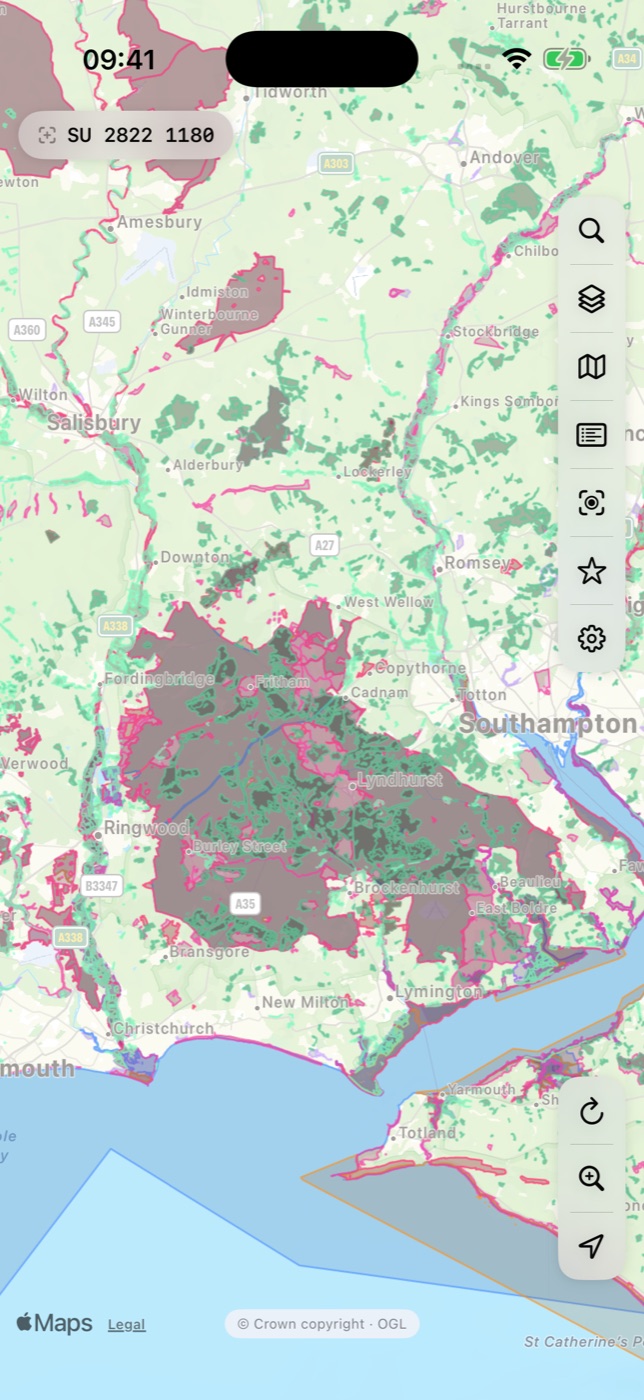
Works with no signal
Download single layers, a preset, or a whole country. Downloaded layers draw automatically the moment the connection drops.
Search a radius
Everything within a distance of any point, across the searched layers at once, with distances and bearings. The instant desk study.
The desk-study PDF
A citable report in the language your client reads: coordinates, the layers searched, the ones that failed, sources and licences on every page.
Favourites and presets
Star anything, file it in folders, export to CSV. Save your own layer sets alongside the built-in presets.
On your wrist
Open Apple Watch on a site and it shows the designation you are standing in, or the nearest ones around you, with distances and grid references.
A real Mac app
Menu bar, keyboard shortcuts, floating panels you can move and resize. The desk-study machine.
Same subscription, same prices
Merestone Worldwide costs the same in the app as here, and one Merestone account carries purchases both ways: link App Store purchases to it and they work here; sign in to the app and a subscription taken here works there.
And on the web
Open the map in any browser with nothing to install, on a colleague's laptop or a client's screen. Sign in by email and your purchases follow you to any browser, and into the app when you sign in there.